Primer inicio de sesión en la plataforma 3DICOM con una cuenta aprovisionada
Resumen
Esta guía te muestra cómo iniciar sesión en la plataforma 3DICOM por primera vez utilizando una cuenta provista por tu organización o el equipo de 3DICOM.
Instrucciones paso a paso
Paso 1. Ir my.3dicomviewer.com para acceder a la página de inicio de sesión.
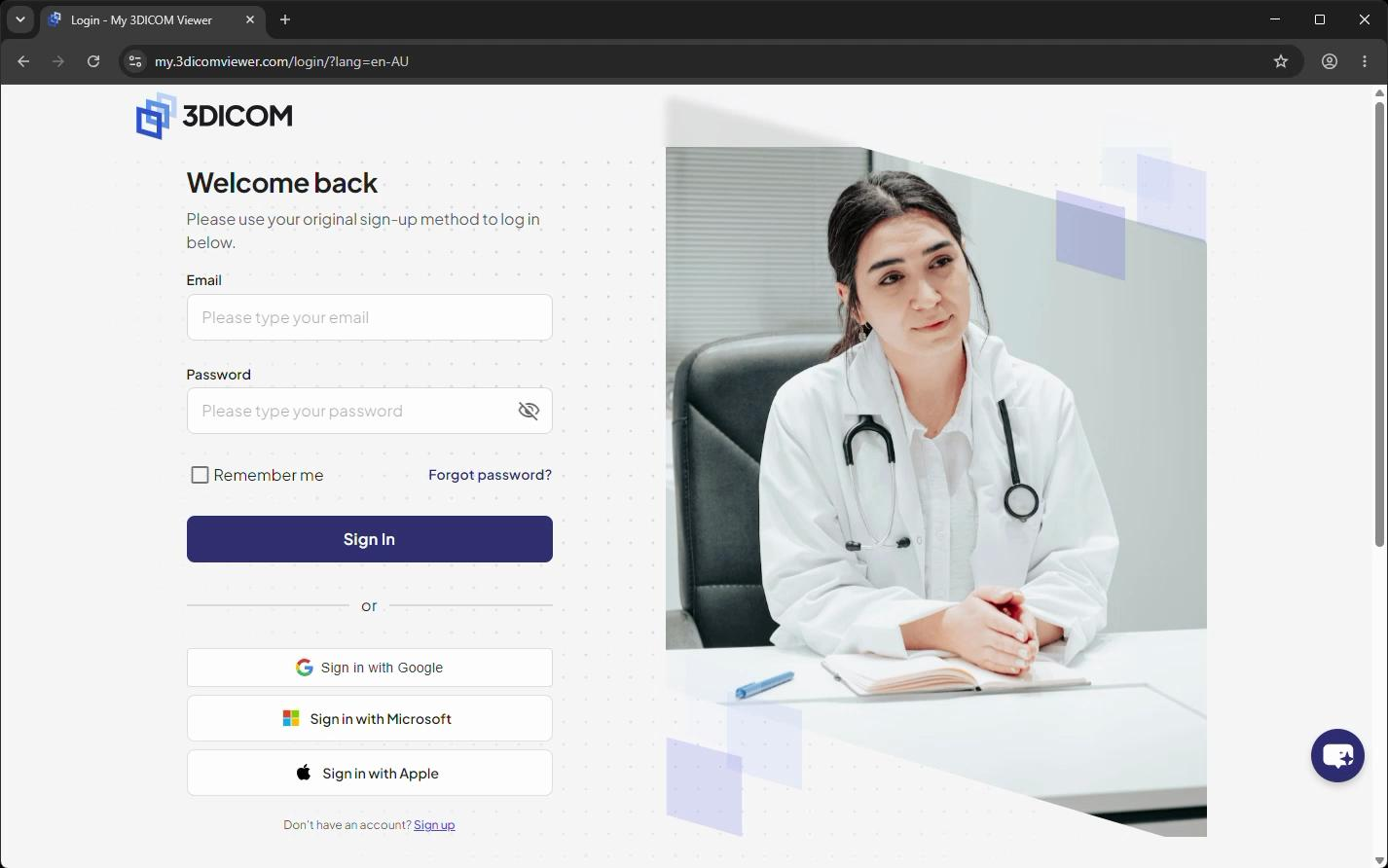
Paso 2. Ingresa tu dirección de correo electrónico en el Correo electrónico campo proporcionado por su organización o un miembro del equipo de 3DICOM.
Paso 3. Ingrese su contraseña temporal en el Contraseña campo.
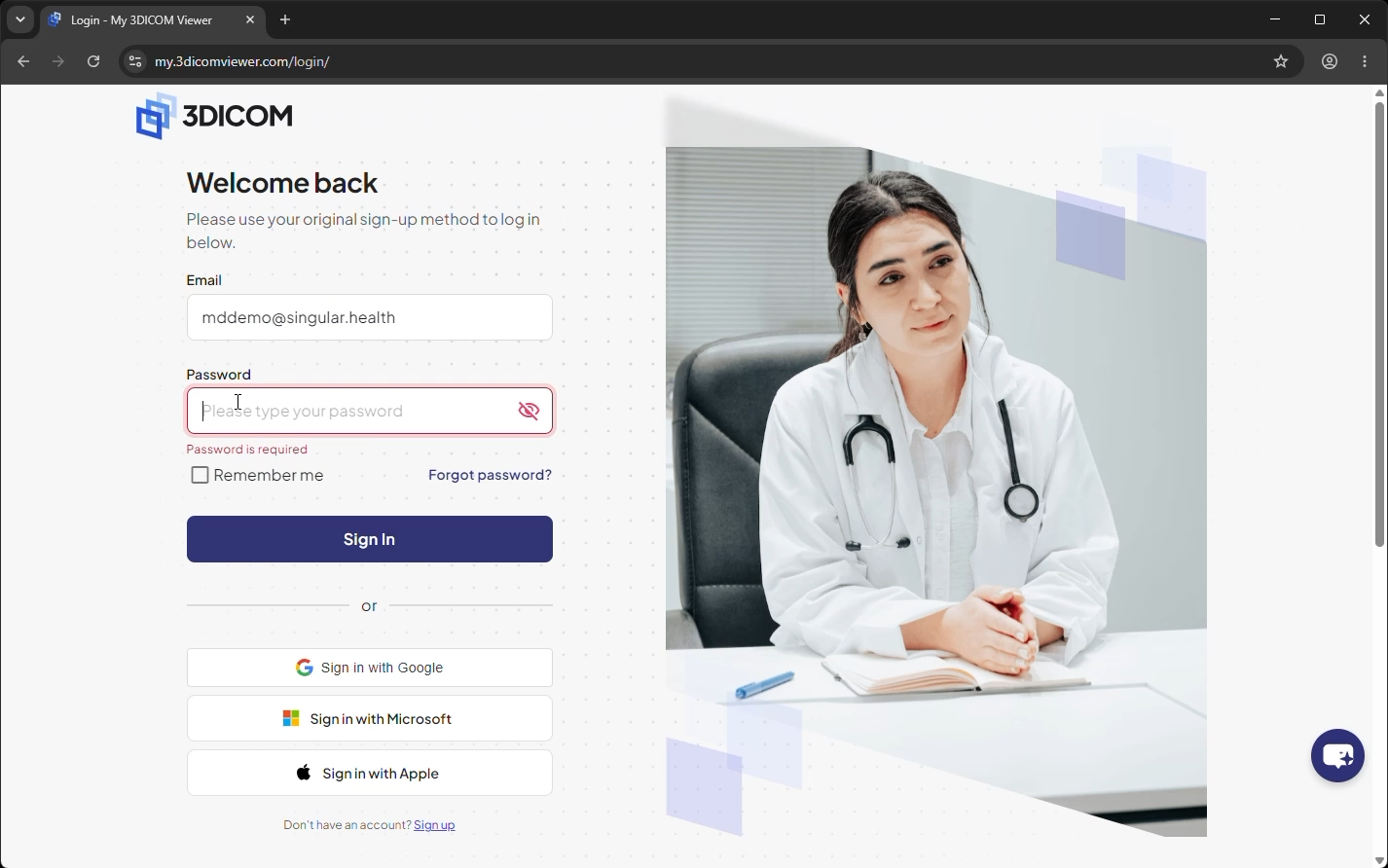
Paso 4. Omitir Recuérdame opción por ahora, ya que restablecerá su contraseña después de iniciar sesión.
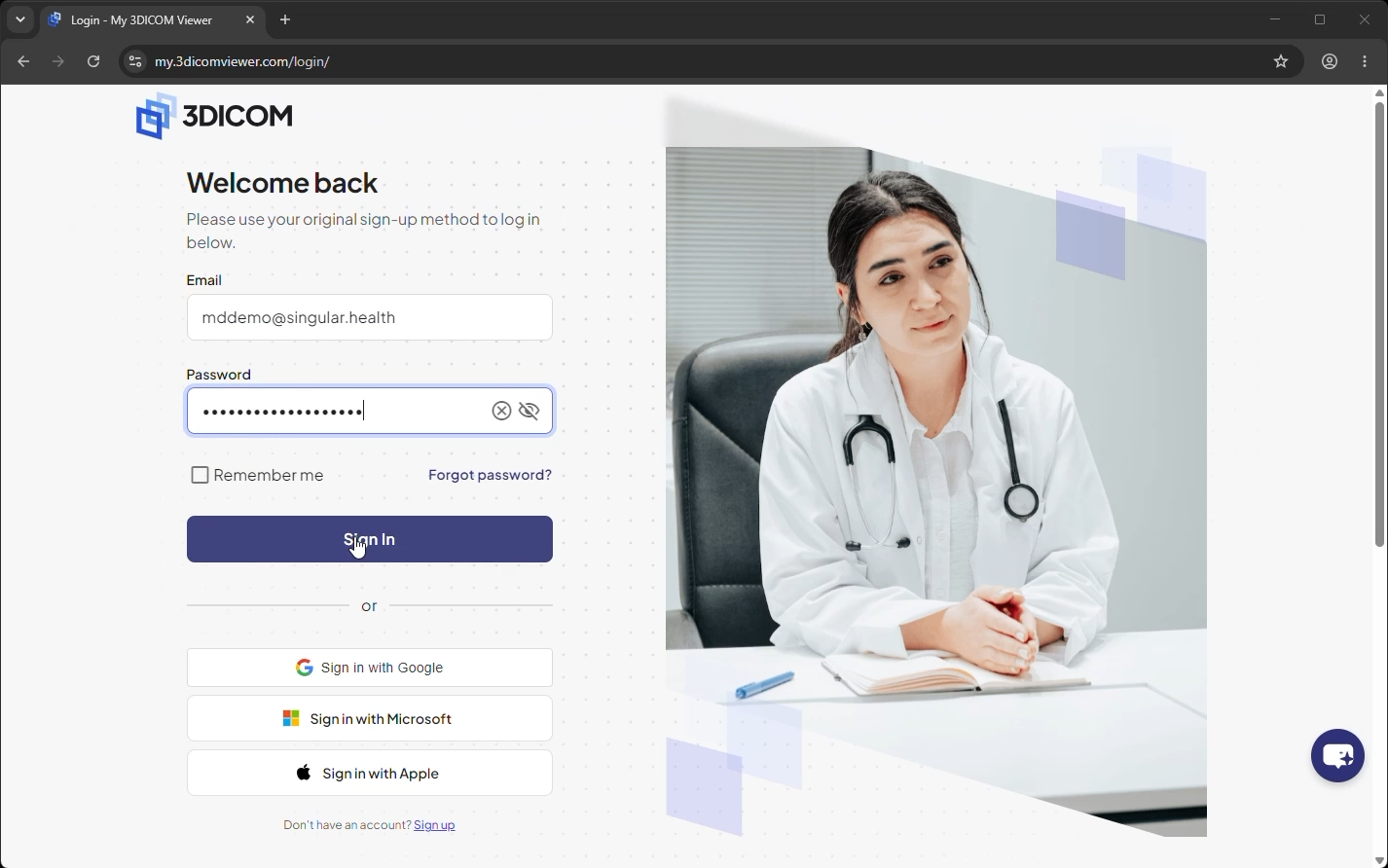
Paso 5. Clic Iniciar sesión para iniciar sesión en tu cuenta.
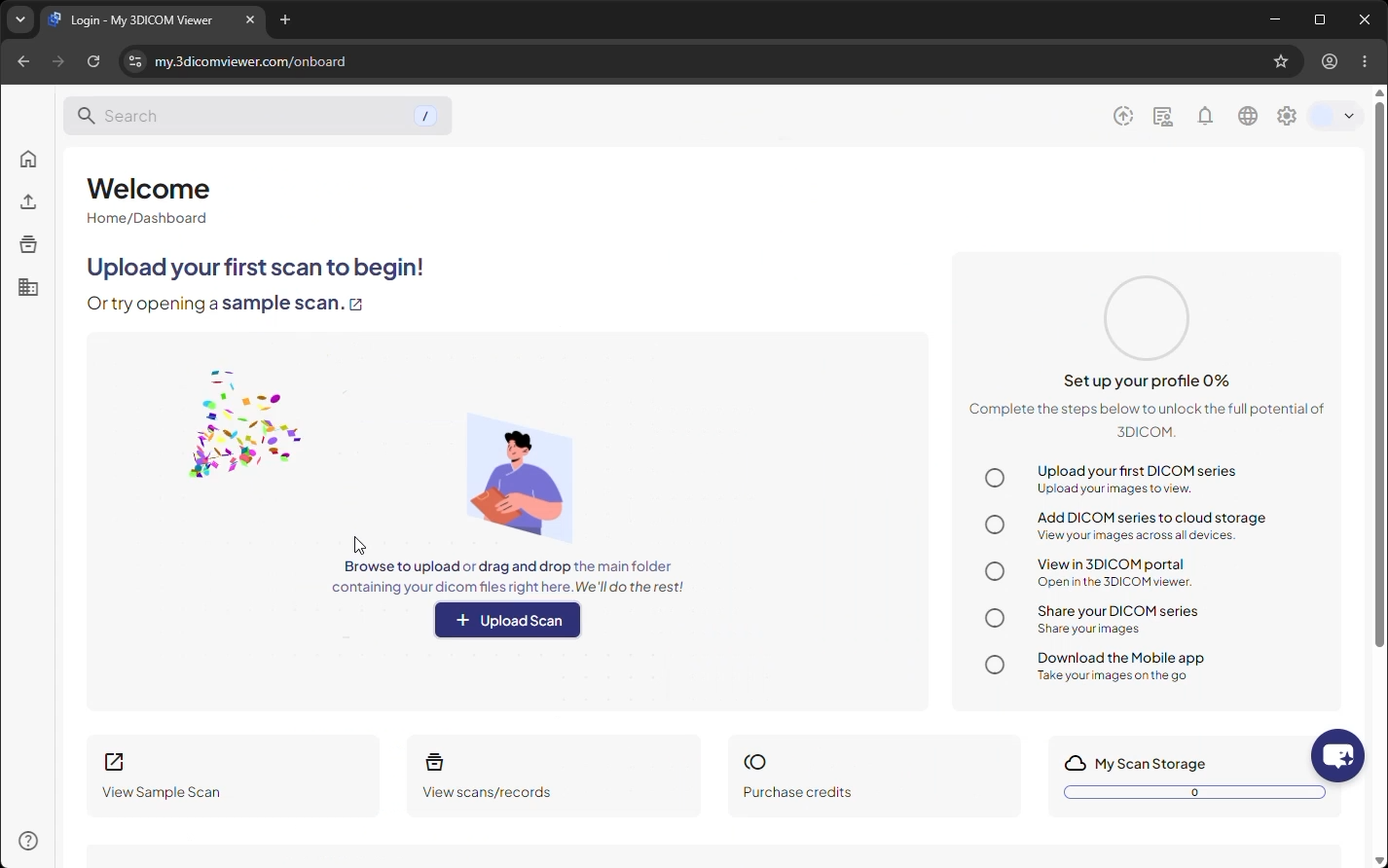
Resultado
Después de iniciar sesión, llegarás al Panel de Control de 3DICOM y podrás comenzar a usar la plataforma.