First-time login to the 3DICOM platform with a provisioned account
Overview
This guide shows you how to log in to the 3DICOM platform for the first time using a provisioned account provided by your organization or the 3DICOM team.
Step-by-step instructions
Step 1. Go to my.3dicomviewer.com to access the login page.
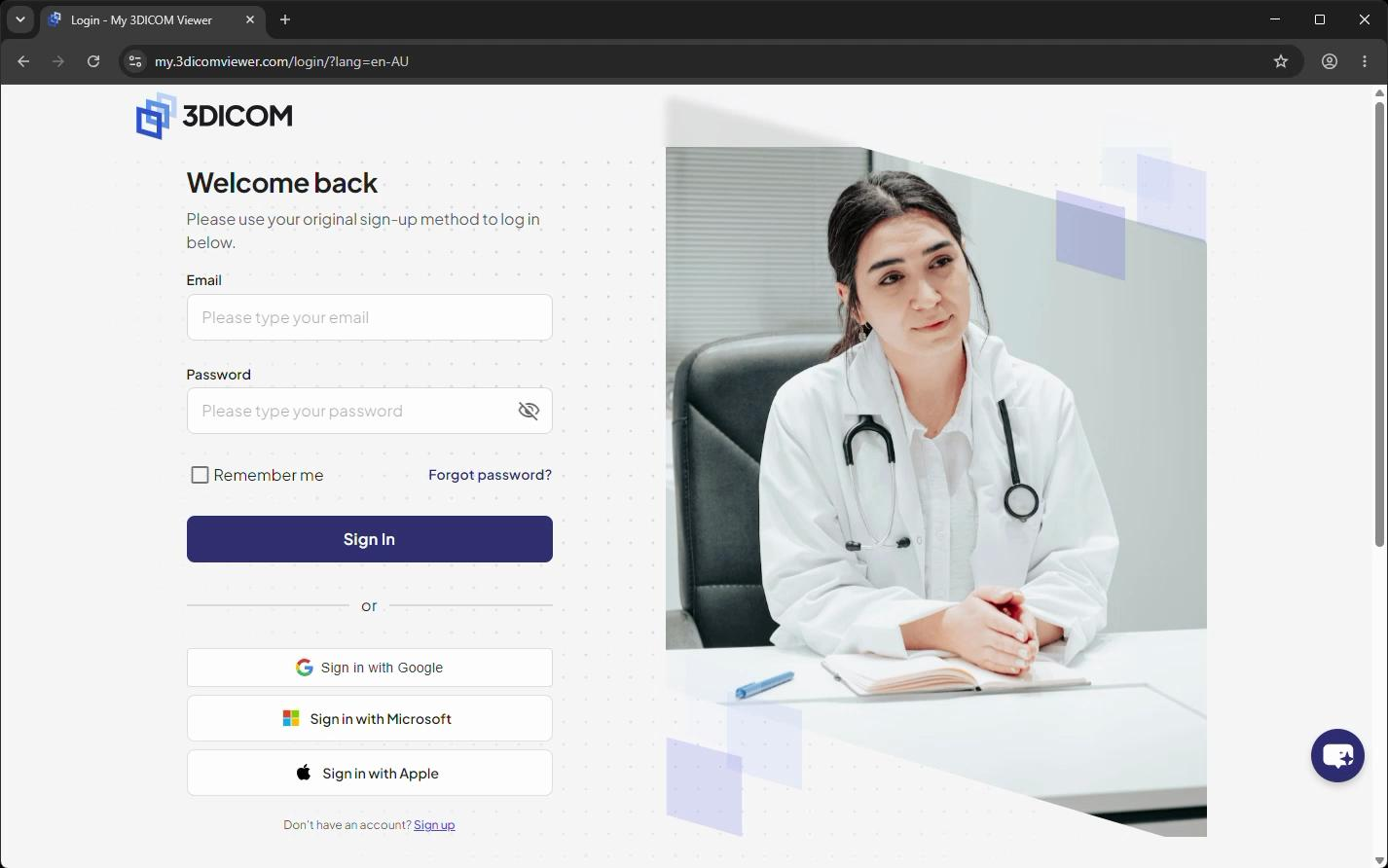
Step 2. Enter your email address in the Email field provided by your organization or a 3DICOM team member.
Step 3. Enter your temporary password in the Password field.
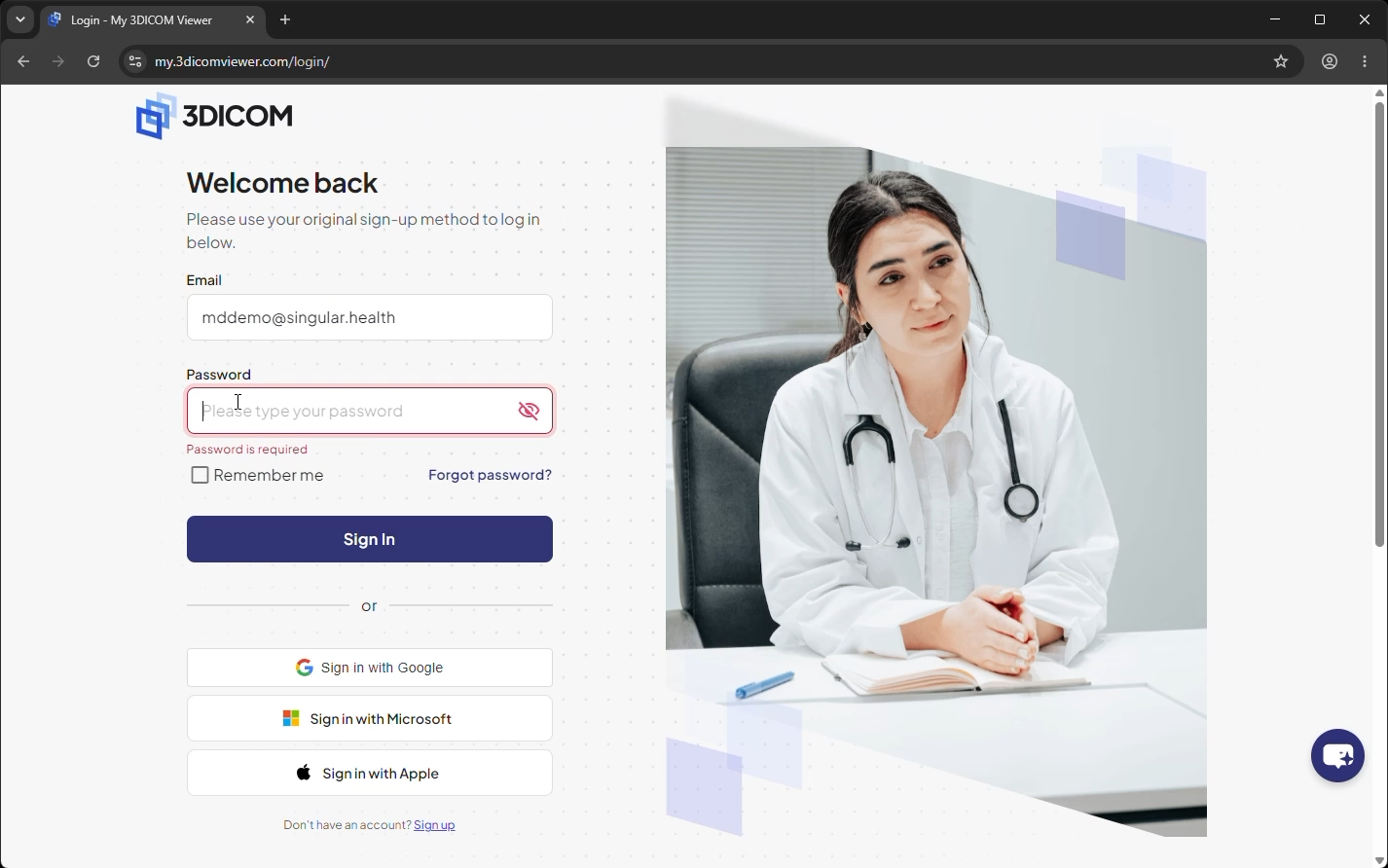
Step 4. Skip the Remember Me option for now, as you will reset your password after logging in.
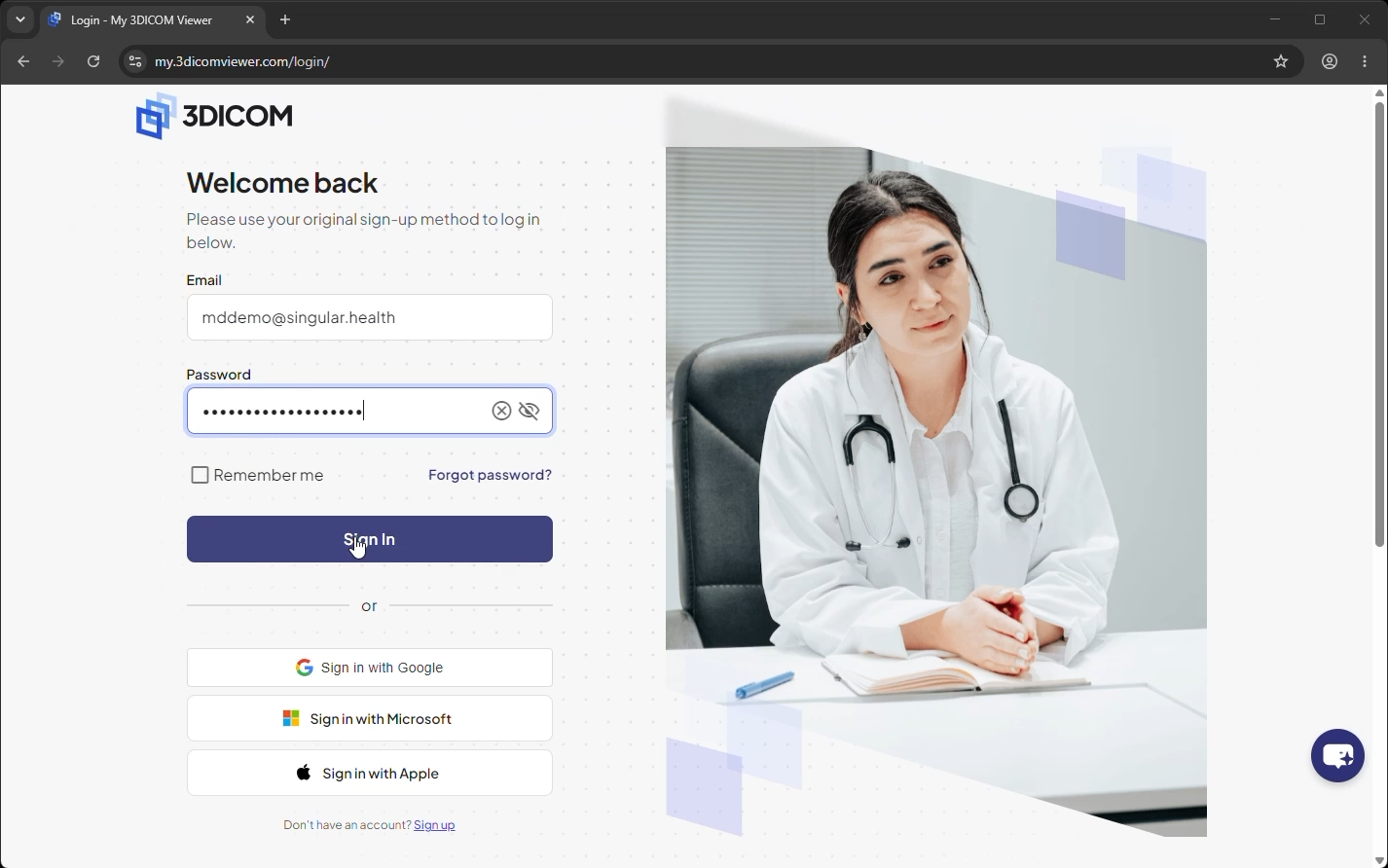
Step 5. Click Sign In to log in to your account.
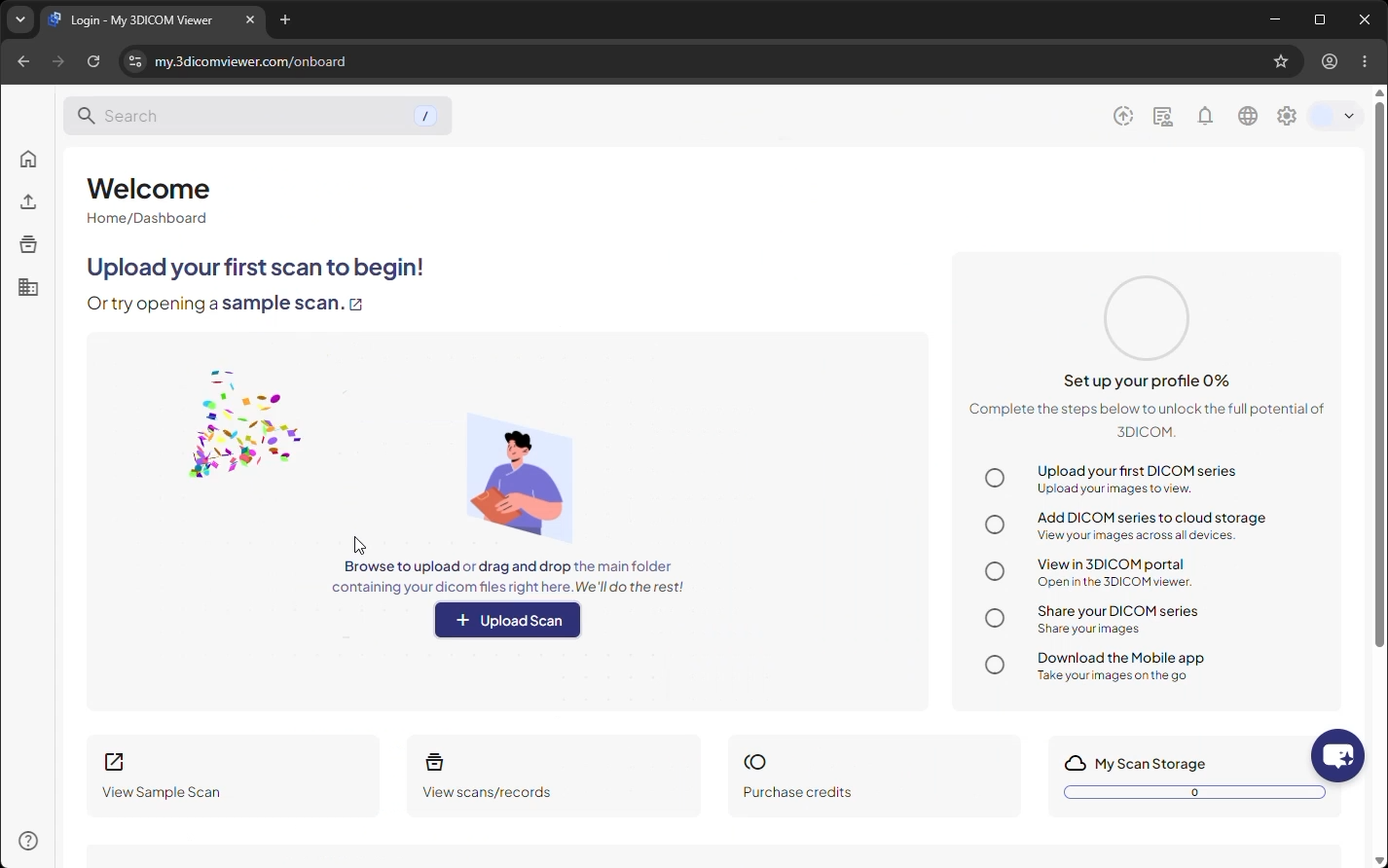
Result
After signing in, you will arrive at the 3DICOM Dashboard and can begin using the platform.