Importing a Structured Report to a scan
Overview
This guide explains how to import an existing Structured Report (.dcm) file and add it to the current scan in 3DICOM. Follow these steps to display measurement annotations from your Structured Report within the Viewer.
Step-by-step instructions
Add a Structured Report file
Step 1. Locate the .dcm Structured Report file on your computer.
Step 2. Drag and drop the .dcm file from your folder into the left side of the Viewer.
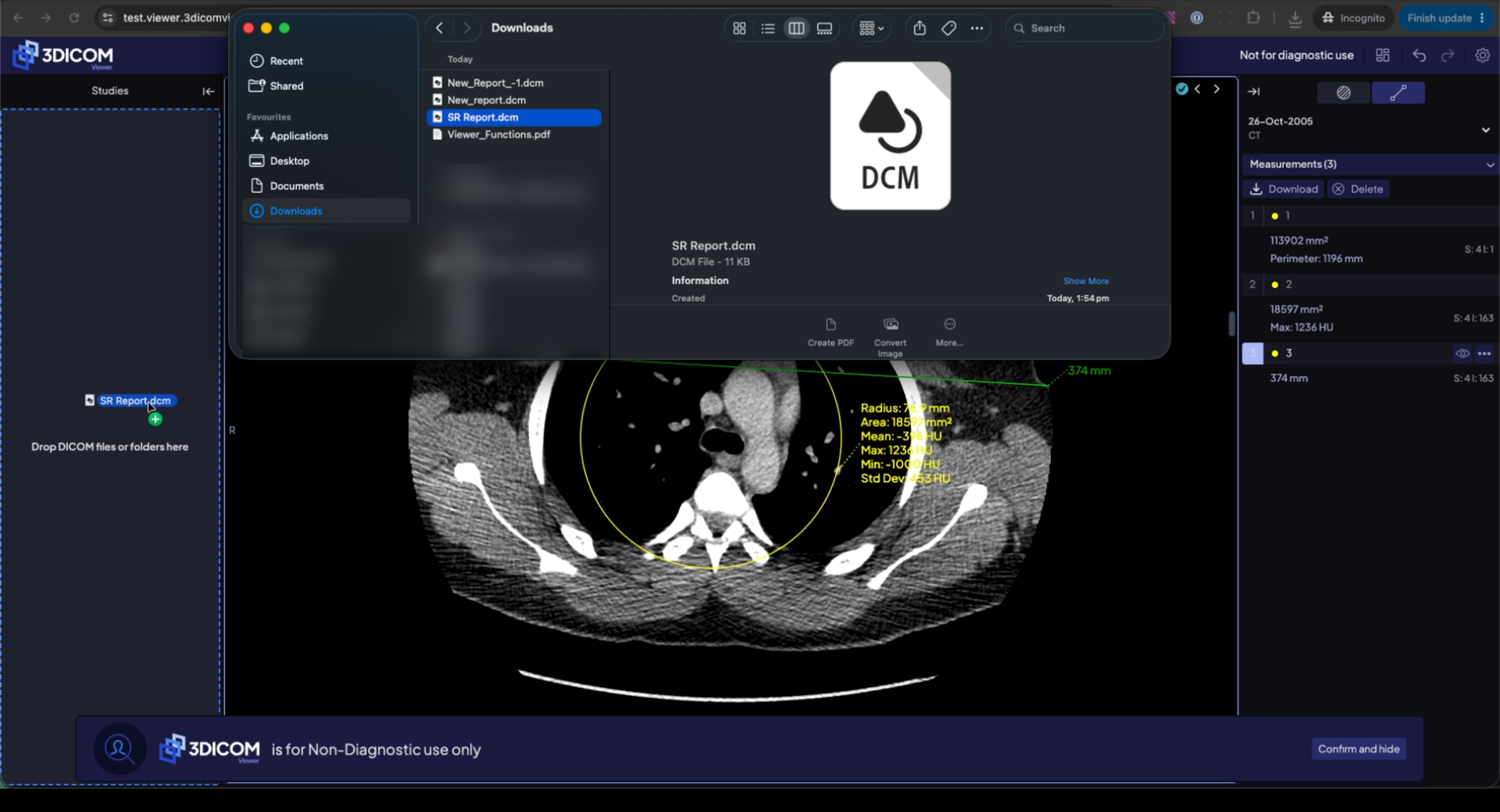
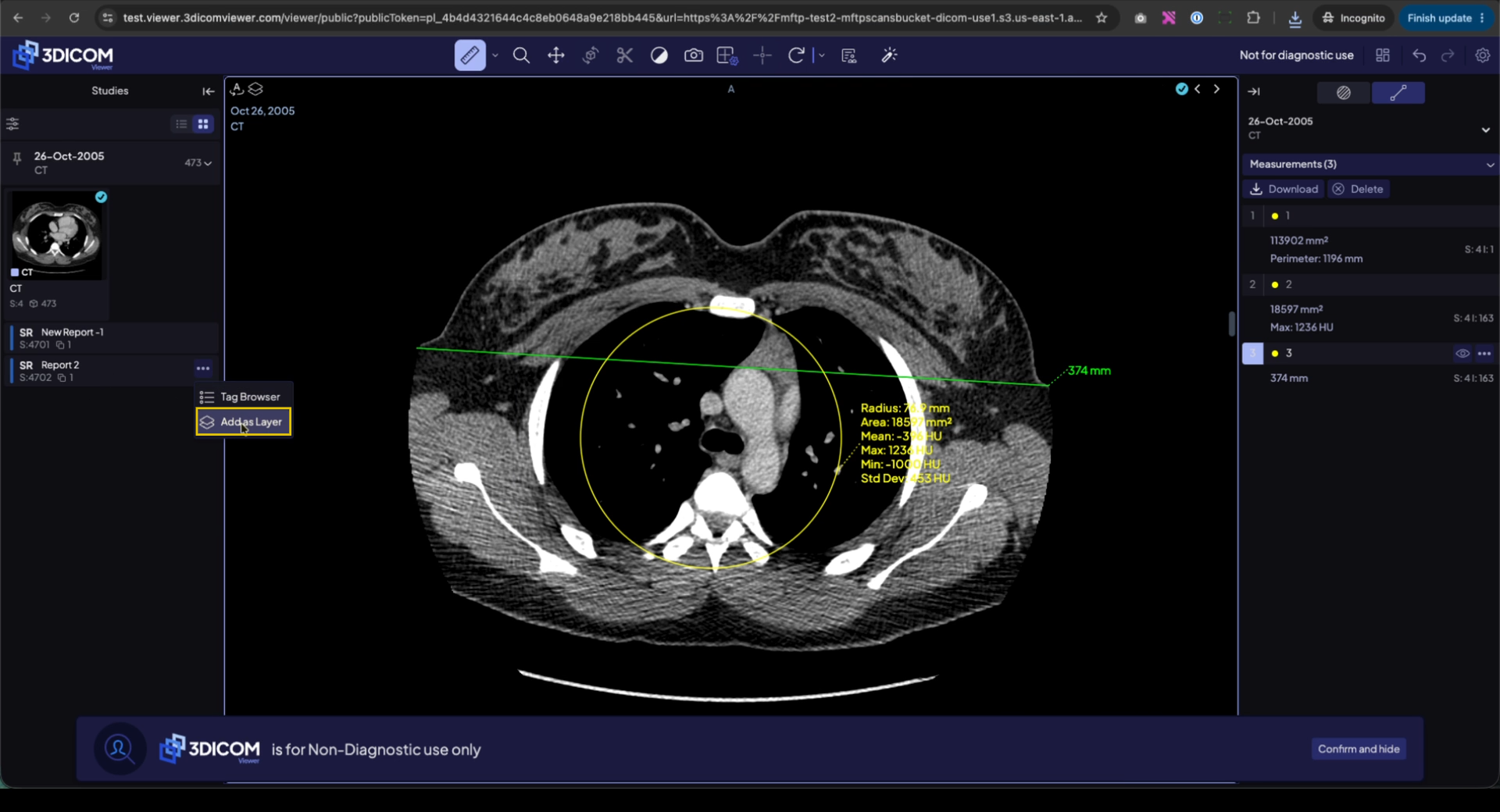
Step 3. Click Add as Layer to import the Structured Report into the current scan.
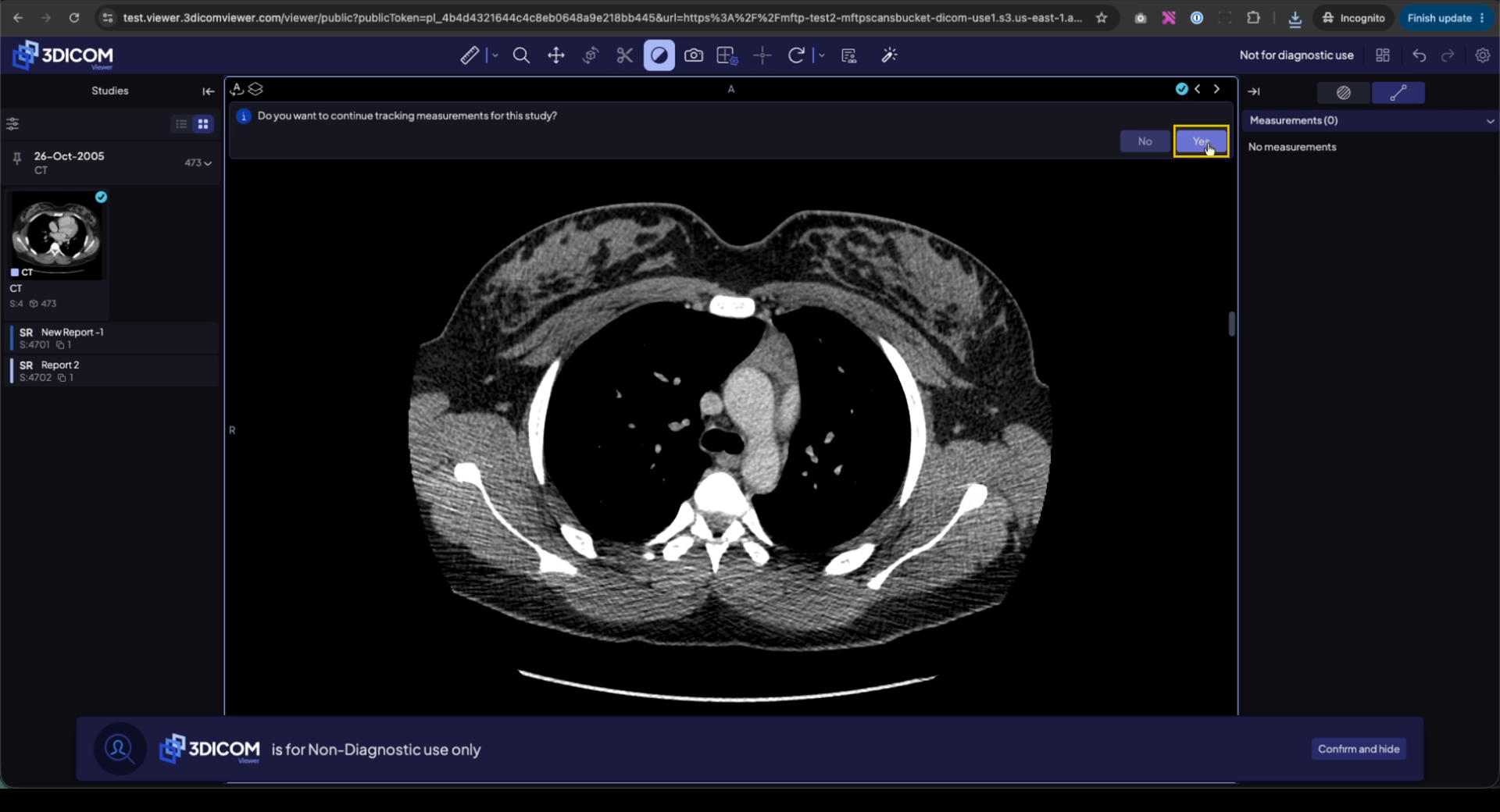
Step 4. When prompted, click Yes to enable measurement tracking for this report.
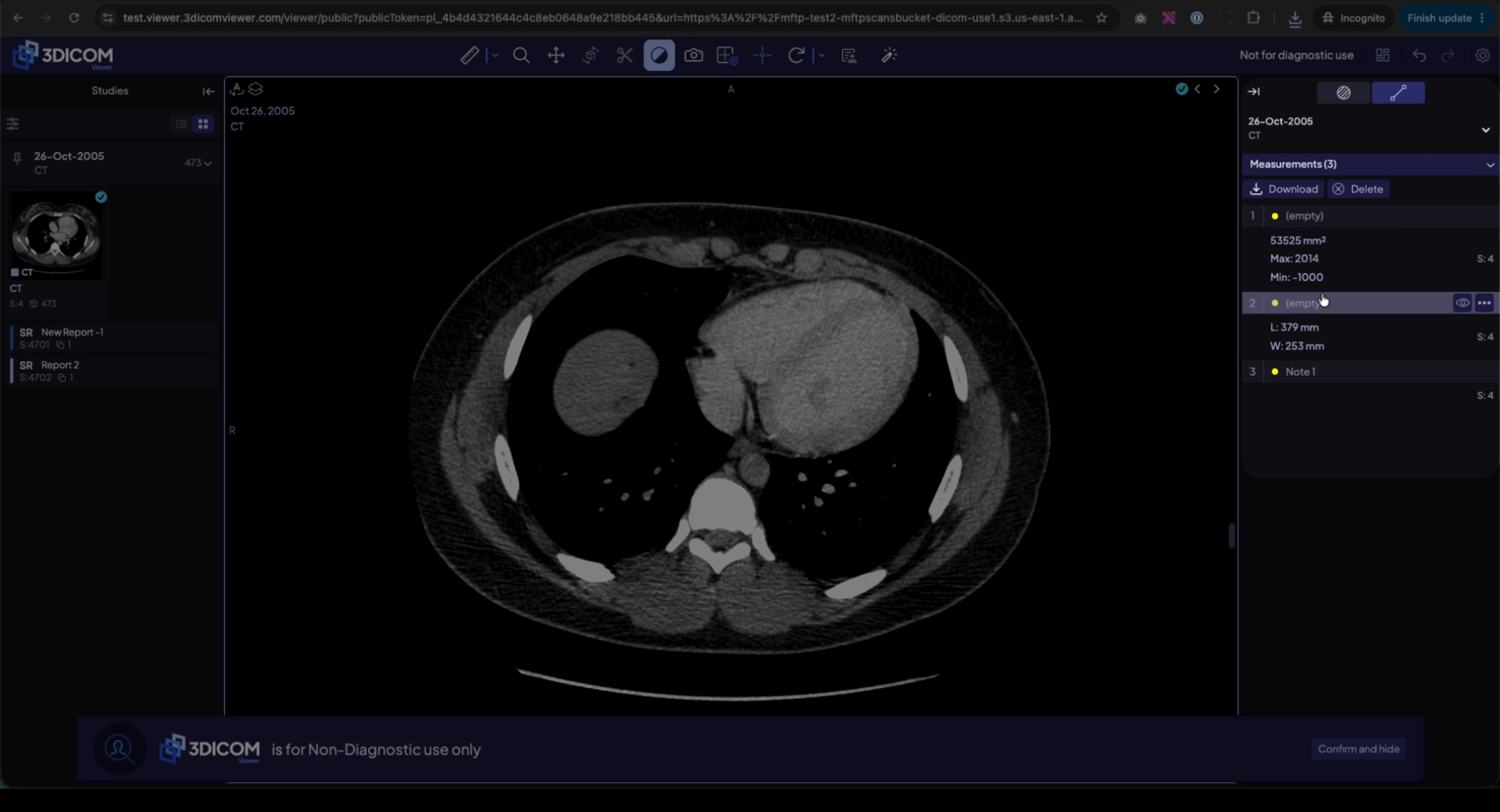
Step 5. After confirming, all imported measurements and annotations are now displayed on the images and listed in the right-side panel.
Result
After following these steps, your imported Structured Report annotations and measurements are visible in the Viewer and listed in the Measurements panel for the current scan.