
Export a high-quality annotated image
Overview
Quickly capture and save the current 3DICOM viewport—including all measurements and annotations—as a high-quality image for sharing or documentation.
Step-by-step instructions
Open the capture tool
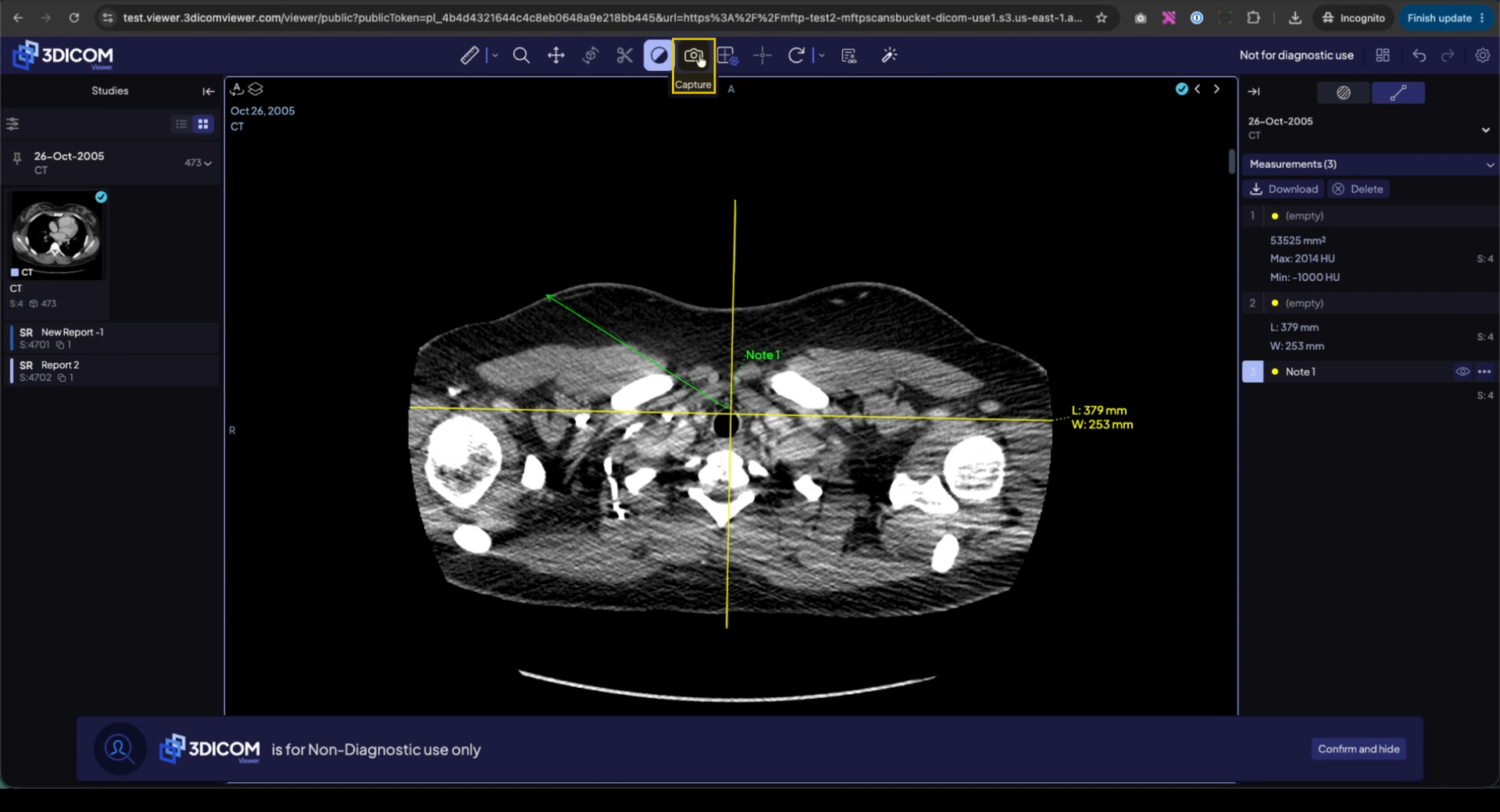
In the top toolbar, select the Capture icon.
Set up your export
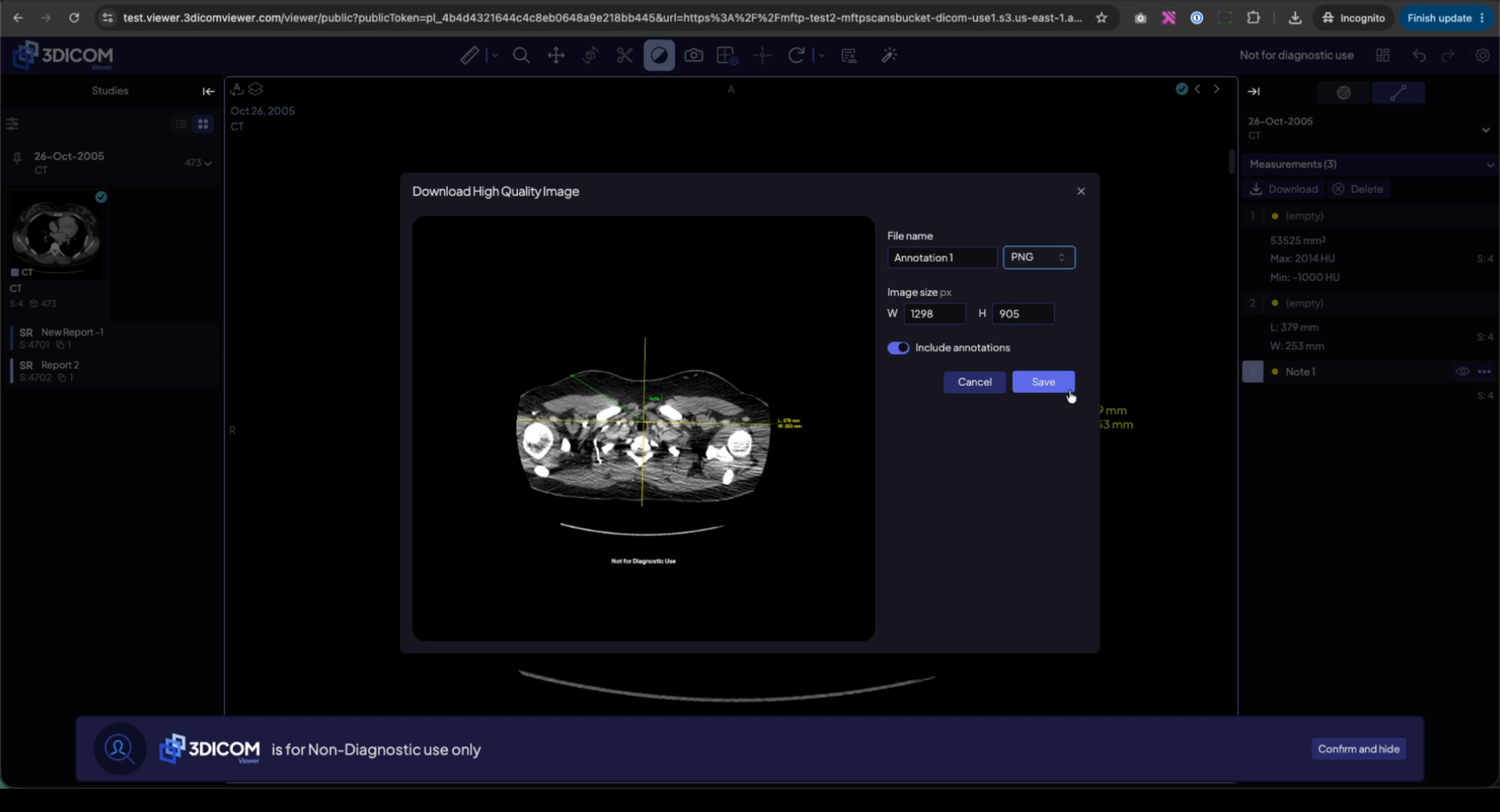
In the Download High Quality Image window, enter your preferred file name.
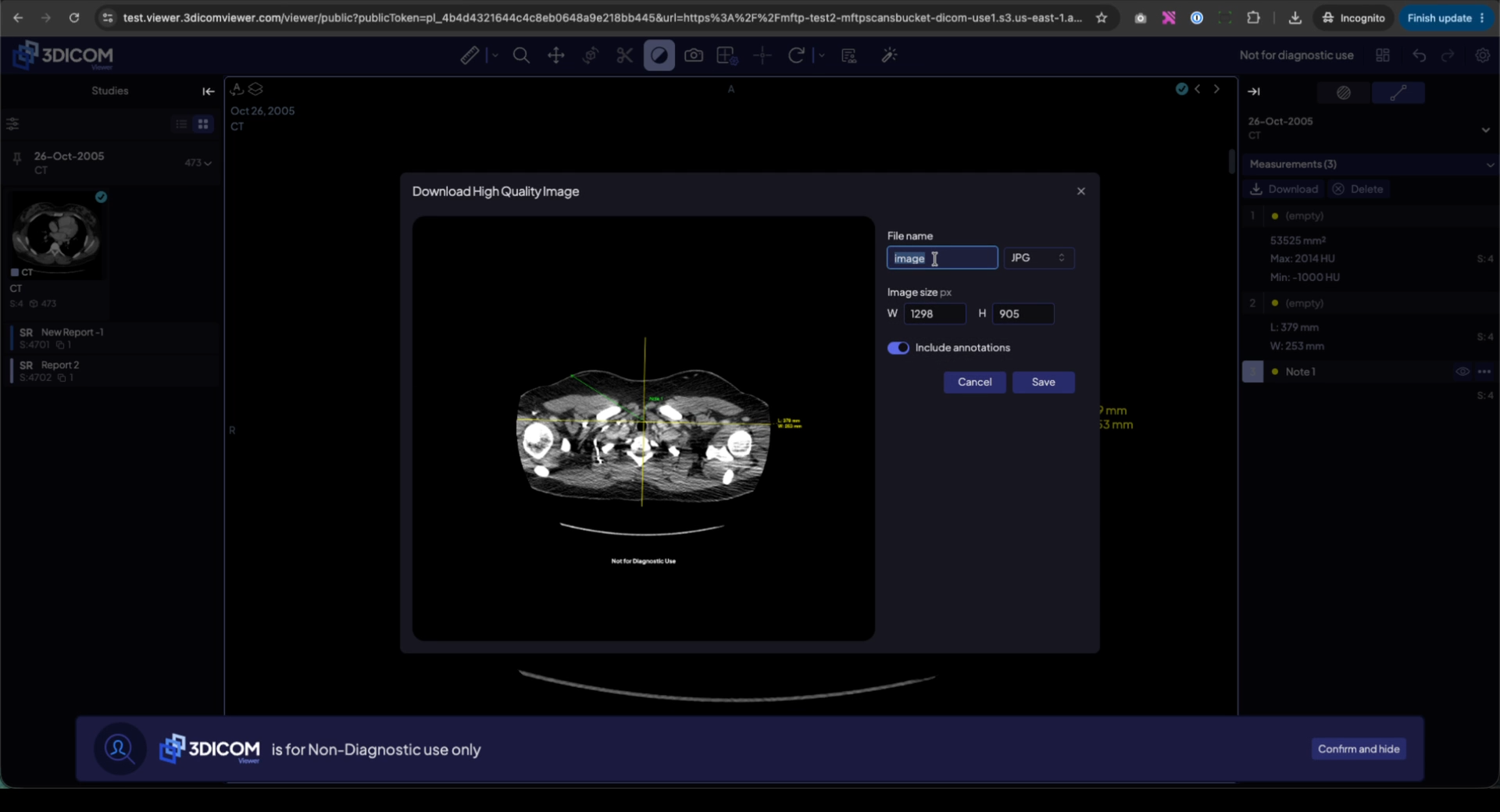
Select your image format. PNG is recommended for best quality, or choose JPG as needed.
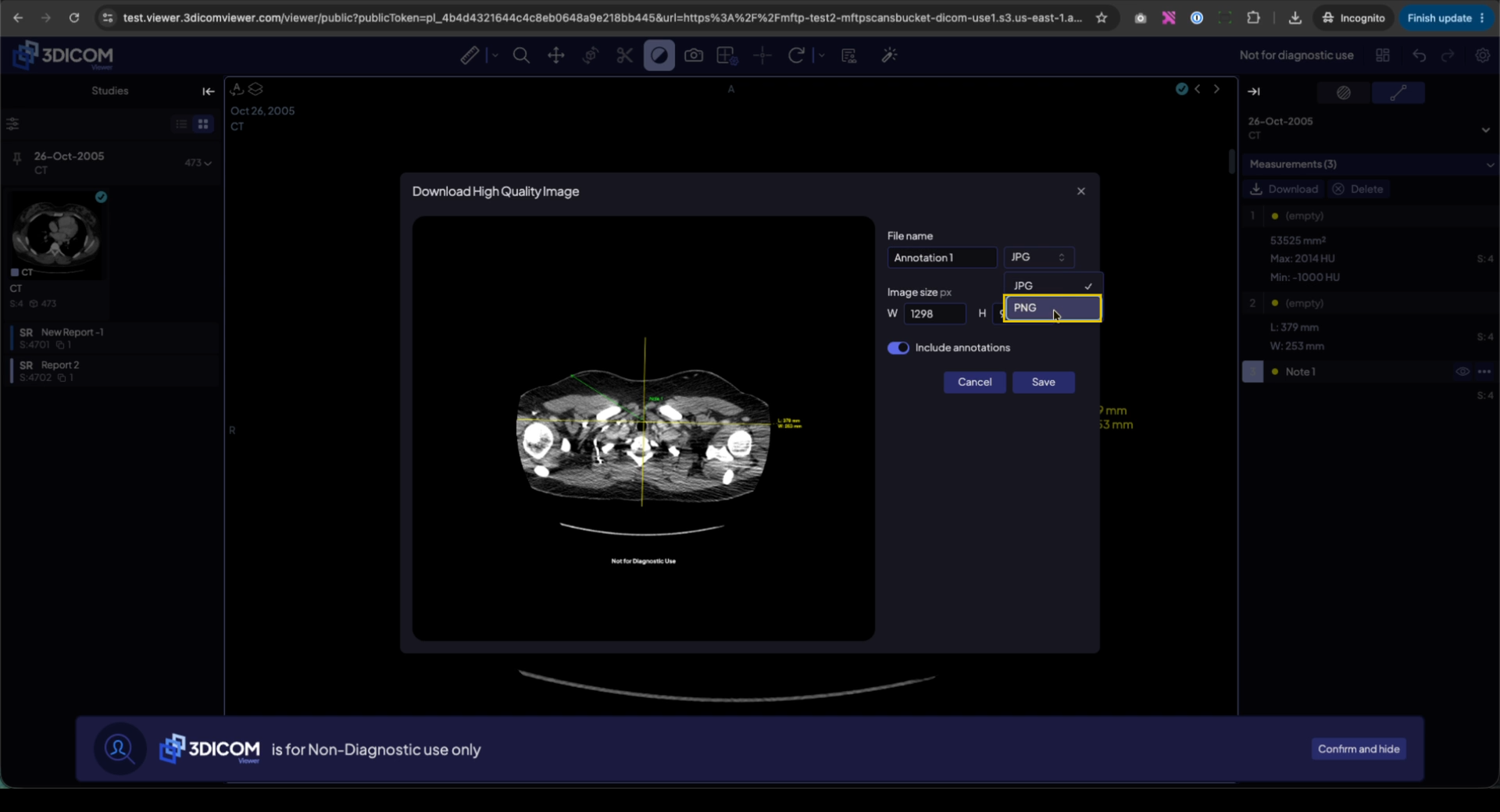
Adjust the image size if required for your workflow.
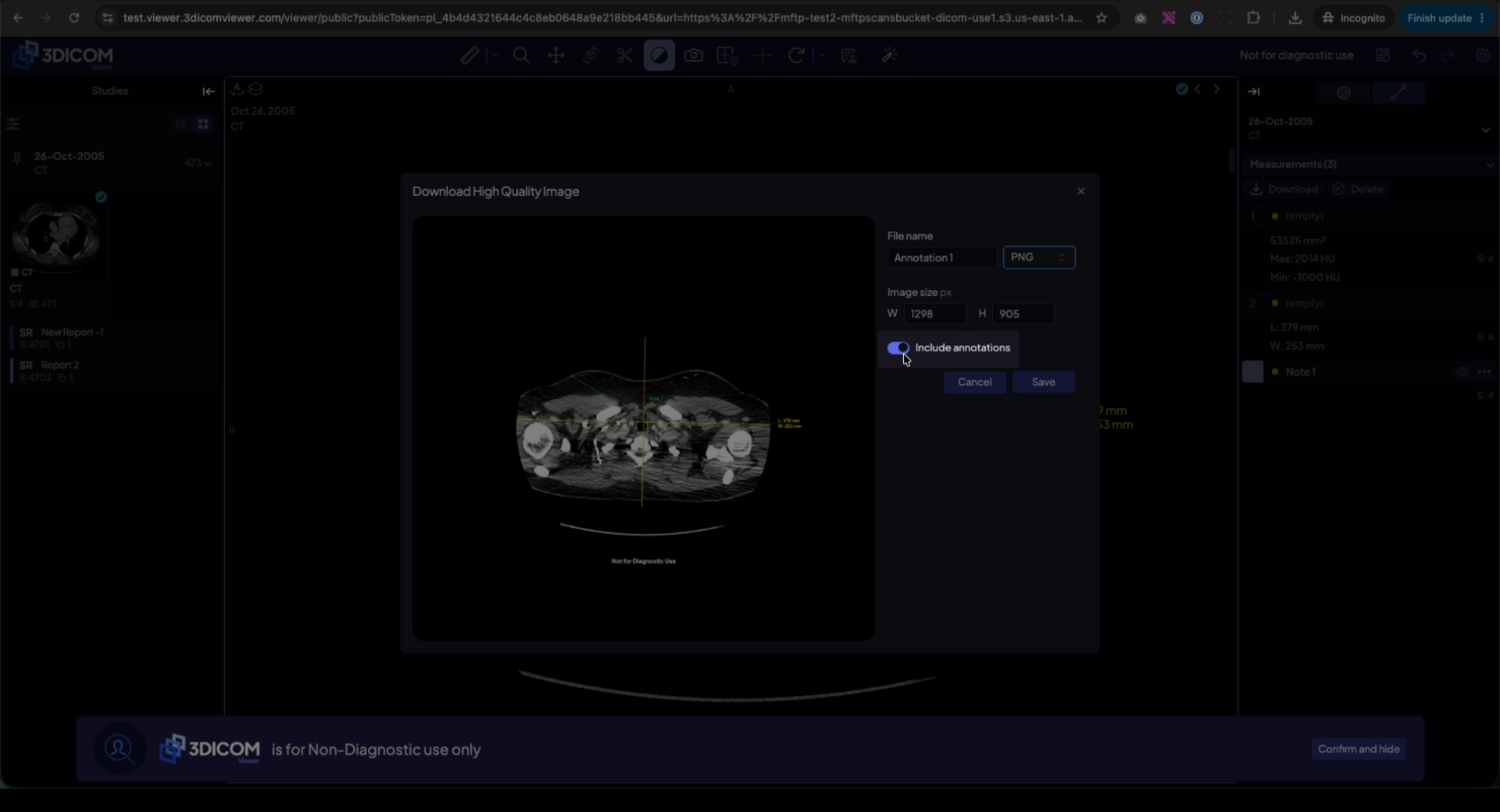
Enable Include annotations to ensure all measurements, arrows, and notes are visible on the saved image.
Save the image
Click Save.
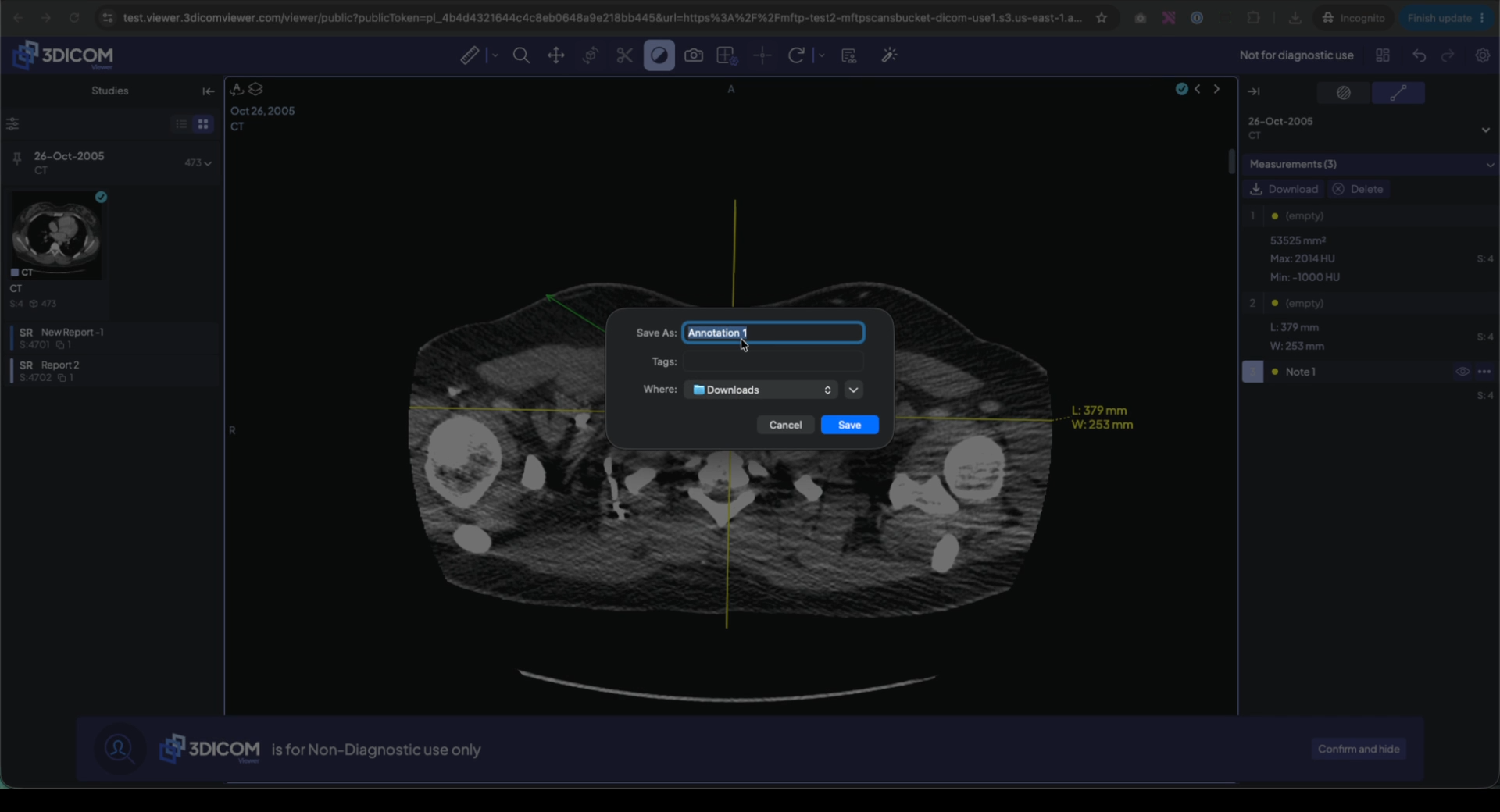
Choose your desired save location, such as Desktop or Downloads.
Result
You have saved a clean, high-resolution screenshot of your 3DICOM view, including all your annotations.
 English
  Spanish